Self purchase flow · Logz.io
Let teams buy and upgrade Logz.io themselves, without a sales call.
- Type
- Product
- Role
- Product designer, end to end
- Year
- 2022
- On this page
The problem
Logz.io had a free plan from day one, but buying meant talking to sales. Once there were four products, that stopped working.
What I did
I designed the plans and purchase flow from wireframes to handoff.
Your plan summary
Products:
LogsMetrics SIEM
Plan type: Free trial
Your products
Log Management
Daily volume: 1 GB Retention: 1 day
Expand your Observability Platform
Infrastructure Monitoring
Based on Open Source Grafana
Cloud SIEM
Based on the ELK Stack
Log Management
Current:
Daily volume: 1 GB Retention: 1 Day Current price: Free Trial
New:
$2,100/mo + taxes
$0/mo
$0/mo
The PM and I mapped 8 scenarios: buying Logs, Metrics and SIEM; upgrading Logs; upgrading several products at once; manual purchase; downgrading; billing info; Log Analytics with On-Demand and drop filters; and pricing by hosts. A few of them, from the design file:
Logs, Metrics and SIEM in one flow: each product is set up in its own card, and the cart adds them up.
Set the Log Analytics volume and retention
Add Infrastructure Monitoring, with its platform discount
Add Cloud SIEM: the cart totals all three
Done: the new plan at a glance
From the usage warning on the Plan page to a summary of the current plan next to the new one.
The Plan page warns before you run out
Pick a new volume and retention
The cart shows the new total
Current plan next to the new one, then confirm
Upgraded, back on the Plan page
Lowering a plan works the same way, but the button turns red and the summary warns before any data is lost.
Start from the Plan page
Open the daily volume
A smaller volume turns the button red
The cart flags the downgraded product
The summary warns about data, then sends a request
Log Analytics with On-Demand and add-ons like drop filters, all the way to checkout.
From the Plan page, upgrade Log Analytics
Turn on On-Demand and drop filters
Checkout: billing details and card
The same card, priced different ways: Logs by volume or by hosts, Infrastructure Monitoring by unique metrics, data points per minute or hosts.
Logs, priced by volume and retention
Logs, priced by number of hosts
Infrastructure Monitoring by unique metrics
By data points per minute (DPM)
Or by hosts
Testing
Once the UI took shape, I tested it with customers before any of it was built.
Goals
- Users quickly understand which products they have, their usage against their quota, and what else they can buy.
- Once they decide to buy, finishing is easy.
Participants
Admins who had upgraded recently through sales, or used the older, limited self-service flow. Intercom gave me a list of at least 20 of them.
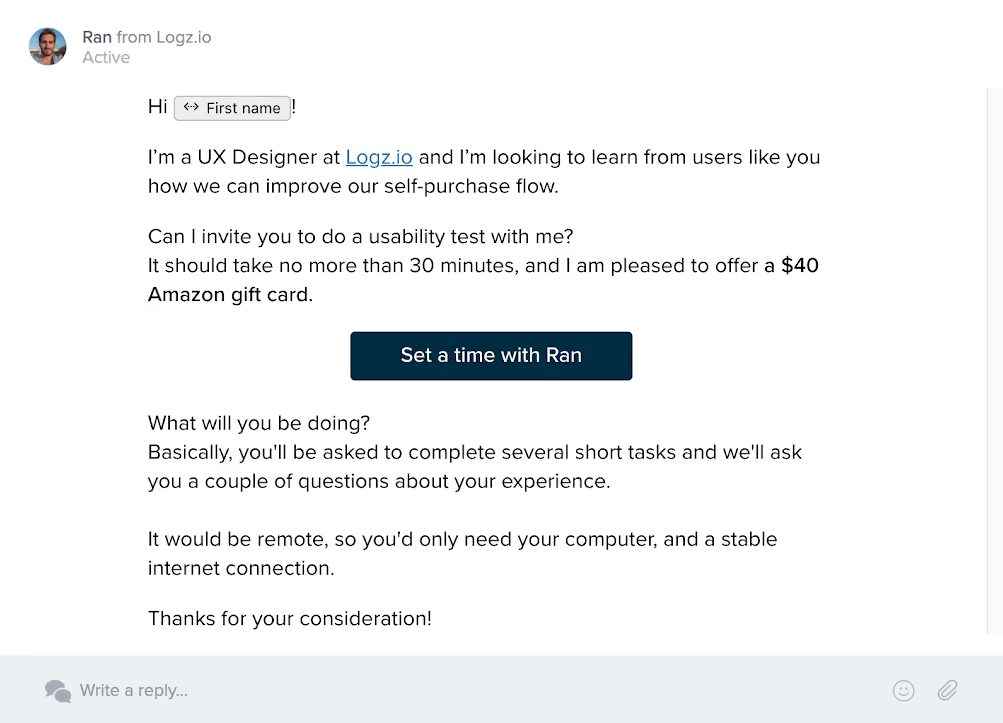
I reached them through an Intercom message, shown to admins on Pro and Enterprise plans after a minute on the usage and billing page, plus email: a 30-minute remote test, with a $40 Amazon gift card as thanks. 5 signed up within a day, and I ran all the sessions the following week.
The test
Each participant got their own Figma prototype with their real plan and organization name, so it felt like their account. They did a few short tasks that checked the two goals, then answered follow-up questions, while I watched quietly. I refined the UI between sessions.
What they said
- “Strange that it’s in the settings.”
- Updating the cart wasn’t clear
- “There’s no scale on this.”
- “It’s not clear that the graph is clickable.”
- “Pretty simple.”
- “This helps to explain, it’s good.”
Action items
Plan page
- Make it clear that the usage graph opens up.
- Make new products and promotions stand out: people didn’t notice them.
Purchase flow
- Rethink the whole “update cart” behavior.
- Show in the cart what’s an upgrade, a downgrade, and what stays as it is.
- Make it clear which card is active: cards and fields looked disabled.
- Clear terms: “Configure” next to “Add to plan” confused people.
- Add calming copy: “You won’t be charged yet”.
5
Changed after testing: the cart updates as you edit, active cards no longer look disabled, and checkout says “You won’t be charged yet”.
Usability tests over one week, a personal Figma prototype per participant
Result
In the years after release, hundreds of trial users became paying customers through it.
Years later, Logz.io still uses the same patterns, though the product has evolved a lot since.
Working on something similar?
Get in touch